Why “it does not work” is not a diagnosis
On a phone, tablet, embedded Android device or remote Windows endpoint, several different failures can produce the same visible symptom: the user taps something and nothing useful happens.
The network may be unavailable. The wrong endpoint may be connected. The application session may be stale. The selected model route may be unhealthy. The backend may reject the request. Or the response may exist while the UI fails to render it correctly.
If all of those possibilities are treated as one problem, debugging becomes slow and every fix risks reopening already-proven layers.
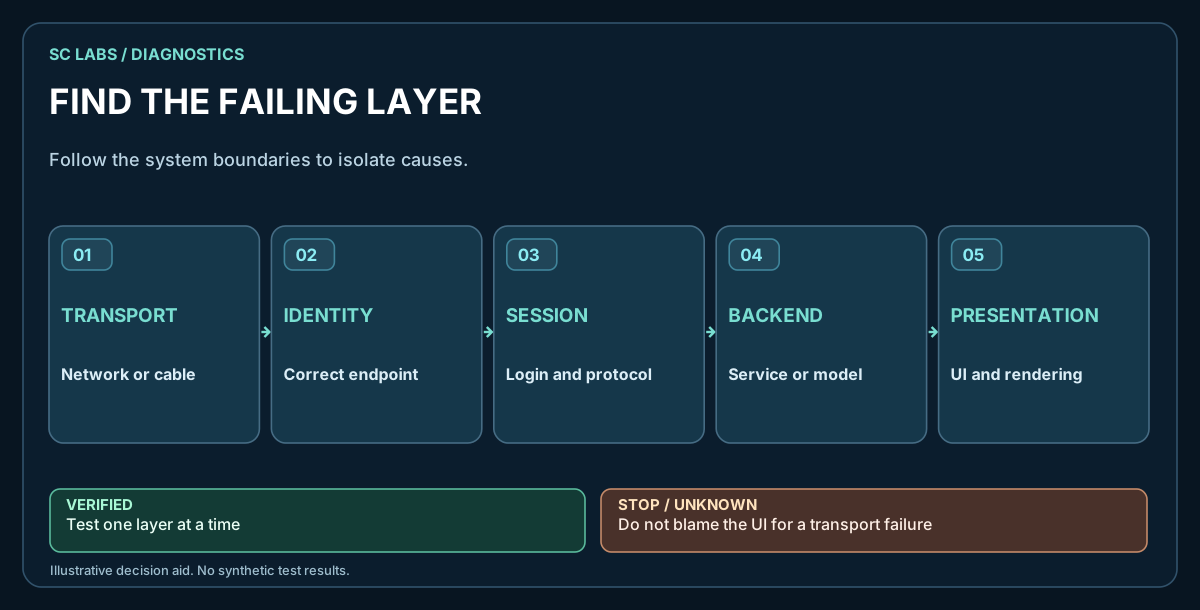
Use a five-layer failure model
- Transport: can the device reach the intended remote service or peer path?
- Endpoint identity and capability: is the correct device online, and does it expose the expected local capabilities?
- Application/session: can the app establish and maintain the intended workflow?
- Model/backend: does the selected intelligence route accept the request and produce a usable response?
- UI presentation: does the interface surface state, progress, errors and results correctly?
Some systems have more layers than this. The point is not the exact number. The point is to avoid letting one user-visible symptom erase the boundaries between independent subsystems.
1. Prove transport without depending on the whole app
Start with the narrowest test that establishes network reachability through the path you actually intend to use. On mobile devices that may mean testing over cellular data rather than the development LAN. On another product it may be Wi-Fi, Ethernet or a remote tunnel.
- Use the same network path the real workflow depends on.
- Confirm the endpoint can establish the intended connection.
- Record whether reconnect works after a relevant network or app transition.
- Do not use a successful chat response as your only transport test.
2. Confirm endpoint identity and capability separately
A connection to something is not enough. Confirm that the expected device is the one online and that the local capability set matches the endpoint you intended to test.
This prevents a healthy but wrong target, stale session or partial registration state from being mistaken for application success.
3. Test the application/session layer
Once transport and endpoint identity are known-good, test whether the application can create the intended session and keep it alive through normal user actions.
- Can the user start the workflow?
- Does session state survive the transitions it is supposed to survive?
- Are errors shown rather than silently swallowed?
- Does reconnect restore application state where that behaviour is part of the design?
If this layer fails while transport remains independently healthy, keep the failure here until evidence points somewhere else.
4. Separate model/backend health from the app shell
An AI application can be online while the selected model or backend route is unavailable, rate-limited, misconfigured or returning an unexpected response.
Test the intelligence route independently where practical. A small known request can establish whether the backend path is responding before you blame the UI or transport.
Likewise, a model returning a response does not prove that the endpoint can perform a complete operational workflow. Reasoning, tools, permissions and device state remain separate concerns.
5. Treat UI presentation as its own layer
The response may exist while the interface fails to show it. Loading indicators can get stuck. The wrong model can appear selected. Keyboard or viewport behaviour can hide controls. An error may be present in application state but absent from the visible UI.
For that reason, UI proof should include what a user actually sees — not only backend logs.
A simple evidence table
| Layer | Useful proof | What it does not prove |
|---|---|---|
| Transport | Intended path connects and reconnects | Chat, model or UI health |
| Endpoint | Correct identity and expected capability set | Application workflow completion |
| Application | Session/workflow starts and stays coherent | Model quality or provider availability |
| Model/backend | Known request receives expected response | Device action or UI rendering |
| UI | User-visible state matches underlying result | Correctness of every lower subsystem |
Retest the changed layer first
When a fix targets transport, rerun the transport acceptance test before doing anything more ambitious. If it passes, preserve that result and move upward. If the chat workflow still fails, you now have a smaller fault domain.
This prevents the common debugging loop where every failure causes the team to reopen networking, permissions, models and UI at once.
Physical Android example
In a physical SC LABS test, an Android 13 automotive-class endpoint had an open transport regression. ARKTOR Android 0.8.8 restored the intended remote path over the device's independent mobile-data connection. The expected ARKTOR identity and local capability set were present.
At that point, a separate chat/model/backend UI issue remained open after the 0.8.8 transport acceptance. The correct conclusion was narrower: transport recovered; higher-level chat workflow still needs diagnosis.
Later follow-up: ARKTOR Android 0.8.9 subsequently closed the higher-level chat/workbench follow-up in physical E2E testing. The 0.8.8 case remains useful because it shows why the layers were tested separately.
The test concerns the Android application endpoint. Display operation does not imply CAN, ECU or safety-critical vehicle-control authority.
Failure-isolation checklist
- Reproduce the user-visible symptom.
- Test the intended transport path independently.
- Confirm the expected endpoint identity.
- Confirm the expected local capability set.
- Test application/session state.
- Test the model or backend route independently where possible.
- Verify what the UI actually renders.
- Keep passing evidence for lower layers instead of reopening them without cause.
- State the remaining open layer explicitly.
The useful principle
Do not ask whether the whole system is “working” until you know which layer you are talking about. Good failure isolation replaces one vague red light with several smaller questions that can each be proved or disproved.