Example scenario
A home user or small business has a Windows PC that no longer boots. The machine contains documents, photos, project files or a user profile that cannot easily be recreated. Reinstalling Windows or attempting aggressive repair first could change the source before the important files are safe.
What matters
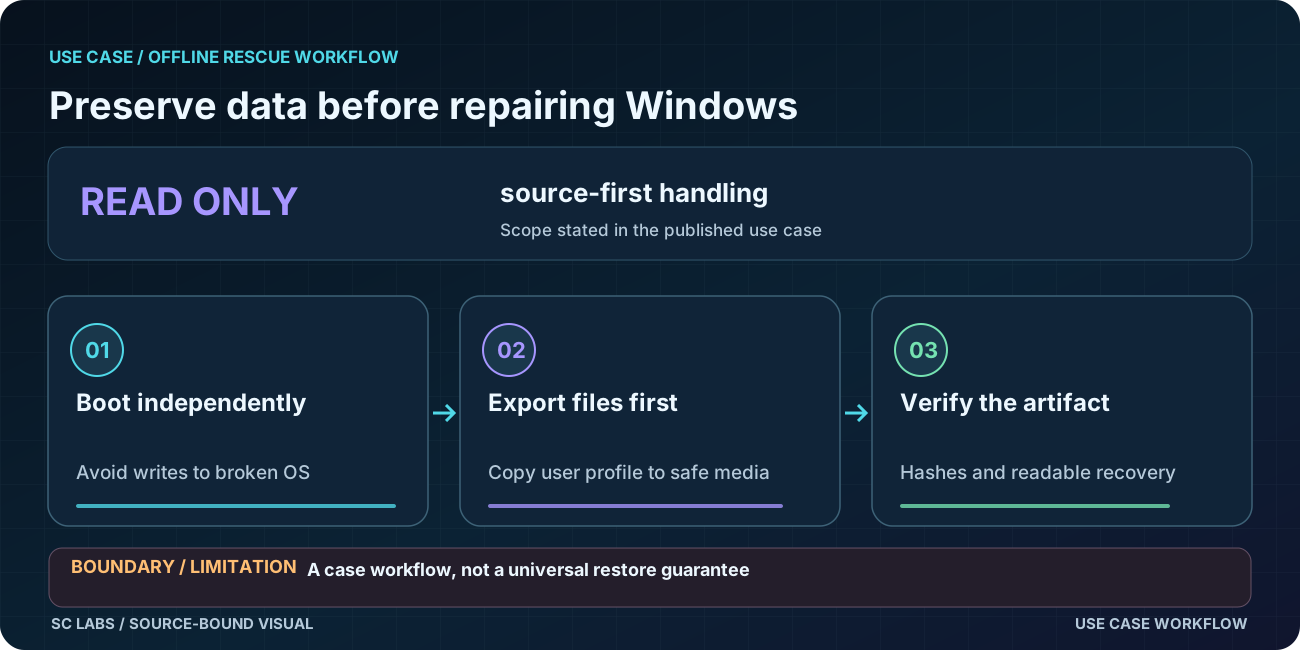
The recovery environment should not depend on the broken Windows session. It should also avoid writing to the source while the first copy is being made. Once the data is preserved and independently checked, repair decisions become much less risky.
How ARKTOR Rescue fits
ARKTOR Rescue boots from separate recovery media. In the tested recovery path, it inspected the Windows source read-only, preserved a complete user profile into a recovery archive and then verified the resulting archive by SHA-256.
The practical workflow is straightforward: boot outside the installed Windows system, inspect the source, preserve the required data, verify the result, then decide what repair work is safe to attempt.
Evidence basis
In the retained physical recovery proof, ARKTOR Rescue preserved 6,871 entries in an archive of roughly 1.1 GB while the Windows source remained read-only, then reverified the recovered output by SHA-256. The full engineering record is preserved in We Recovered a Windows Profile Without Writing to the Source.
What this does not prove
This does not claim a finished public recovery product for every PC or every filesystem failure. Continuous multi-reboot repair remains a separate open product gate, and general release packaging is still gated. The retained proof covers the tested boot, inspection and data-rescue path.
Learn the recovery method first
The practical reasoning behind the sequence is covered in Read-Only First: How to Recover Data From a Windows PC That Won't Boot. It explains why preserving the source state matters before repair.
Relevant product
ARKTOR Rescue is the ARKTOR family path for independent boot, controlled diagnosis, read-only Windows inspection and verified data recovery when Windows itself is not a reliable starting point.
Facing a Windows recovery problem?
Describe the recovery goal and disk constraints first. Never send passwords or private files. A pilot starts with a scoped conversation, not a promise of public product availability.
Discuss a scoped ARKTOR pilot