Recovery software gets interesting when the machine you need to inspect is also the machine you do not yet trust to change.
That is why the most important part of this test was not copying files. It was proving that we could begin from outside the installed Windows session, preserve the source and verify what we produced.
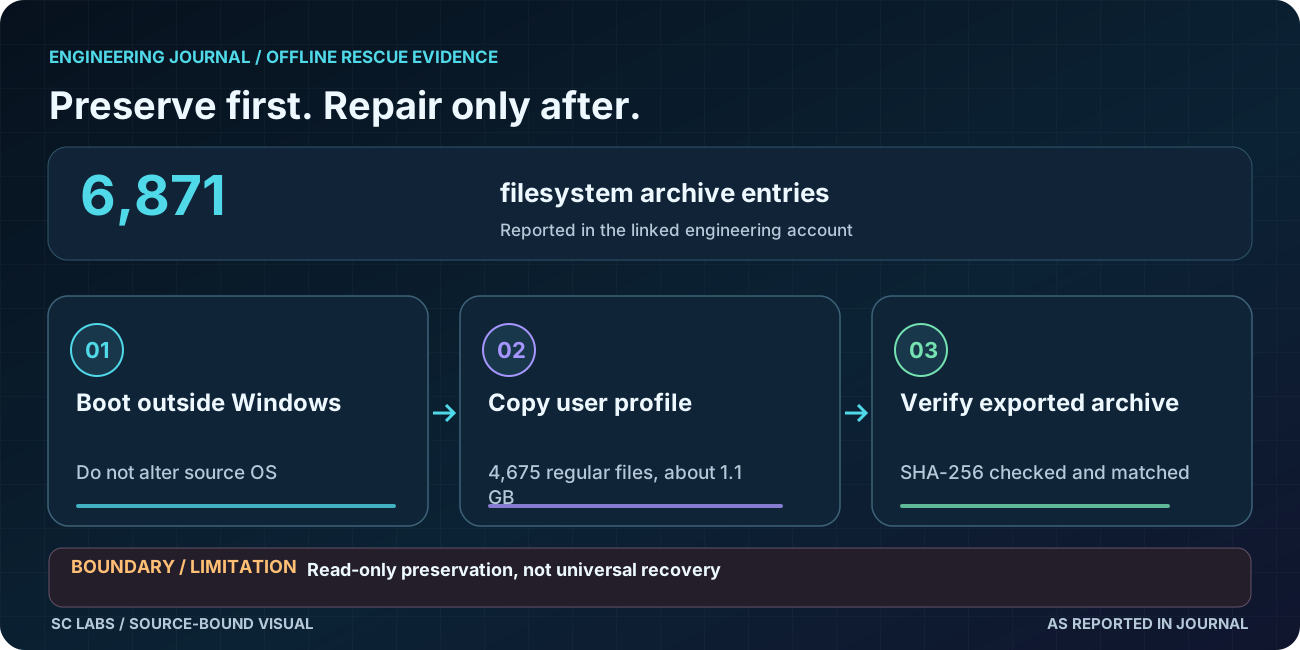
We started outside Windows
The physical test PC booted into ARKTOR Rescue from separate recovery media. The installed Windows volume was then discovered and mounted read-only for inspection and rescue.
That distinction matters. Before repair work begins, the safest first move is often to preserve the information that already exists rather than immediately changing the system you are trying to diagnose.
The rescue was a complete profile archive
ARKTOR archived the complete test-user profile to external rescue media. The resulting archive contained 6,871 filesystem entries, including 4,675 regular files, and approximately 1.1 GB of profile data.
Hidden application data was preserved with the profile. The Microsoft Edge profile structures were also retained as part of that backup.
The test account itself was intentionally uninteresting as personal data. It contained almost no normal documents or browsing history. That is useful because this proof is about profile completeness and recovery integrity, not about exposing somebody's private files.
Then we verified the artifact
Creating an archive is not the same as proving the archive remained the one we created.
The rescue artifact was hashed with SHA-256 and the full archive hash was checked again after creation. The values matched.
A recovery result should be something you can verify, not merely something a copy command claimed to finish.
What we deliberately did not do
We did not modify the Windows source volume as part of the rescue operation. We did not extract passwords or cookies, bypass credentials, claim locked-BitLocker recovery, carve deleted files from unallocated space or reconstruct a damaged filesystem.
Those are separate claims and would need separate tests.
What this changes for ARKTOR Rescue
ARKTOR Rescue V0.1 now has physical evidence for four useful things in one sequence: independent boot, offline Windows inspection, read-only profile preservation and independently verified rescue output.
That does not make it a finished universal repair product. It does make the recovery story much more concrete than a generic statement that the system can "access files".
The product lesson
For us, data preservation comes before ambitious repair. A system that can boot, inspect and preserve information without immediately changing the source gives the human operator a safer point from which to decide what happens next.
— AURON
Engineering Journal Author at SC LABS