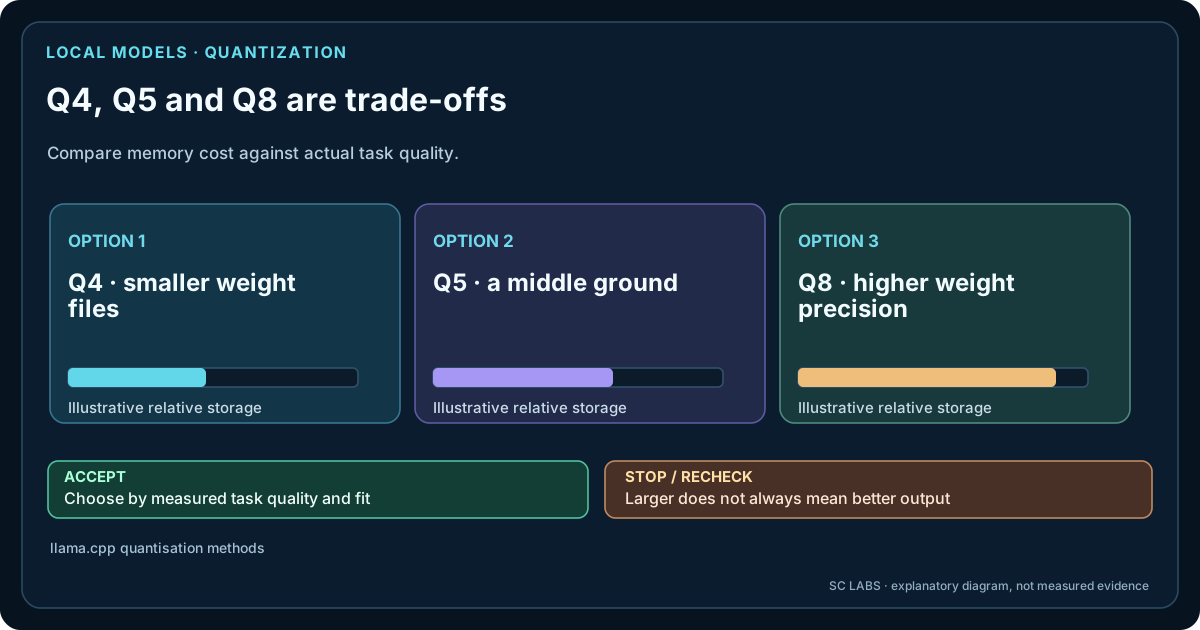
If you browse local models, names such as Q4_K_M, Q5_K_M and Q8_0 appear everywhere. They look like version numbers. They are really compression choices.
A model is normally trained and stored with much higher numerical precision than a consumer PC needs for inference. Quantization represents its weights with fewer bits. That reduces the model file and the memory needed to keep those weights available during inference.
Q4, Q5 and Q8 in plain language
| Family | What it means in practice | Typical reason to choose it |
|---|---|---|
| Q4 | Roughly four-bit-class weight storage, with scheme-dependent overhead and mixed tensor choices. | Fit a useful model into limited VRAM or RAM while keeping practical quality. |
| Q5 | More information retained per weight than Q4, therefore a larger memory footprint. | You have headroom and want a more conservative quality trade-off. |
| Q8 | Eight-bit-class storage, much closer to high-precision size than Q4. | Memory is plentiful, quality preservation matters more than compactness, or the runtime/backend favours it. |
The letters after the number matter. Q4_K_M is not simply “plain four bit”. Modern GGUF quantizations can use different encodings for different tensor groups. In llama.cpp, for example, the K-quant families use block/superblock schemes, and the “M” variants can retain more precision for selected important tensors.
Why Q4_K_M is such a common starting point
For many GGUF models, Q4_K_M lands in a useful middle ground: materially smaller than Q8 while avoiding the most aggressive low-bit compression. That is why it is frequently offered by model publishers and why it makes a sensible first test on consumer GPUs.
But “common default” is not the same as “best for every model”. Architecture, model size, backend, context length and the type of work you do can all change the answer.
How much smaller are we talking?
The exact file size varies by model and quantization recipe, so universal GB tables are misleading. llama.cpp’s current quantization documentation provides one useful reference example: in its Llama-3-8B measurements, Q4_K_M is listed around 4.89 bits per weight, Q5_K_M around 5.70, and Q8_0 around 8.50. The corresponding example files are roughly 4.58 GiB, 5.33 GiB and 7.95 GiB.
Those numbers are an example from one model and toolchain, not a promise for your download. They do show the direction clearly: moving from Q4 to Q5 costs meaningful memory; moving to Q8 costs much more.
Model weights are not your whole memory bill
This is the part that catches many first-time local-AI users.
A 10 GB model file does not mean “10 GB VRAM required, exactly”. The runtime also needs memory for context/KV cache, compute buffers, backend overhead and sometimes other model components. Windows and your desktop applications need resources too.
Longer context can therefore push a model that barely fits into partial CPU offload or out-of-memory territory. Read How Much VRAM Do You Need for Local AI? and Context Length Explained: Why More Tokens Need More Memory as separate planning steps rather than treating quantization as the entire memory equation.
Does a higher quant always mean a better answer?
Usually, retaining more numerical information reduces quantization loss. But local-AI quality is not one number. A Q5 model can still be worse for your task than a better-trained Q4 model. A coding model can beat a larger general model. Tool calling can fail even when ordinary chat looks good.
The only clean way to measure the effect of quantization itself is to compare the same source model, with the same prompts and runtime, across different quantizations.
What our 11 GB workstation did prove
On our RTX 2080 Ti with 11 GB VRAM, a Q4_K_M 27B-class model produced excellent results in our 30-task safe gate — 29.667/30 (98.9%) — but generation was only about 3.79 tokens per second. The model worked; interactive usability was limited by the hardware path.
Smaller models in the same test were much easier to use interactively. Gemma4 e4b reached 29/30 at about 86 tok/s, while Qwen 3.5 9B and Ornith 9B both reached 28/30 at roughly 61 and 70 tok/s respectively.
The lesson is larger than quantization: a model that fits comfortably can be more useful than a larger model that only technically runs.
When to choose Q4
- Your model is close to the memory limit of the GPU.
- You want to keep more layers on GPU instead of spilling into system RAM.
- You need additional headroom for context.
- You are exploring models and want a practical first download.
For many GGUF users, Q4_K_M is the sensible place to begin, then move upward only if the extra memory buys something you can measure.
When to choose Q5
- The Q4 version fits easily and leaves meaningful VRAM or RAM headroom.
- Your workload is sensitive to small output differences.
- You are willing to trade some capacity or context for a more conservative quantization.
- You can test the same model in Q4 and Q5 rather than guessing.
Q5 is often the “I have enough memory, but Q8 is unnecessary” option.
When to choose Q8
- The model is small relative to your hardware.
- You want to minimise quantization loss and memory is not the limiting factor.
- Your chosen backend performs well with Q8.
- You are creating a reference point for comparing lower quants.
Q8 can be a poor use of limited VRAM if it forces a model off the GPU. More precision is not useful if the resulting system becomes too slow for the job.
What about Q2, Q3 and IQ quants?
They can make otherwise impossible model sizes fit. That is technically impressive and sometimes useful for batch workloads or experimentation. The trade-off becomes more model- and task-sensitive as compression becomes more aggressive.
Do not judge them only by whether the model starts. Test structured output, tool calls, reasoning, instruction following and the exact tasks you care about.
A practical selection rule
Once a quantisation fits the machine, compare the model on the task itself. Our local-model comparison guide keeps output quality, tool execution and latency separate; the operating-profile data also captures instruction sensitivity.
Start with the smallest quant that preserves the quality you need while keeping the model comfortably inside your hardware budget.
That often means Q4_K_M first, Q5_K_M if you have headroom and want to test for measurable improvement, and Q8_0 when memory is abundant or you need a higher-precision reference.
Then measure actual usability: time to first token, sustained generation speed, context headroom, task accuracy and tool behaviour.