
You launch an image generator, close the window and assume the card is free. Later, a language model refuses to load. The missing memory is often still held by a backend, worker or server process you forgot was running.
This is common in a local lab where language, image and video experiments share one workstation. It is also avoidable.
For the broader local-versus-frontier deployment trade-off, the ARKTOR overview explains why intelligence does not have to run on every endpoint.
Know the three states of a model
A model may be unloaded, loaded but idle, or actively running a job. Closing a browser tab does not necessarily unload a model served by a background process.
Before a new GPU-heavy task, inspect the current processes and memory allocation. Ask two different questions: Is a process holding memory? Is it actually doing useful work?
A process can be idle while reserving gigabytes. Another may appear quiet between batches while its job is still active.
Give every job an owner
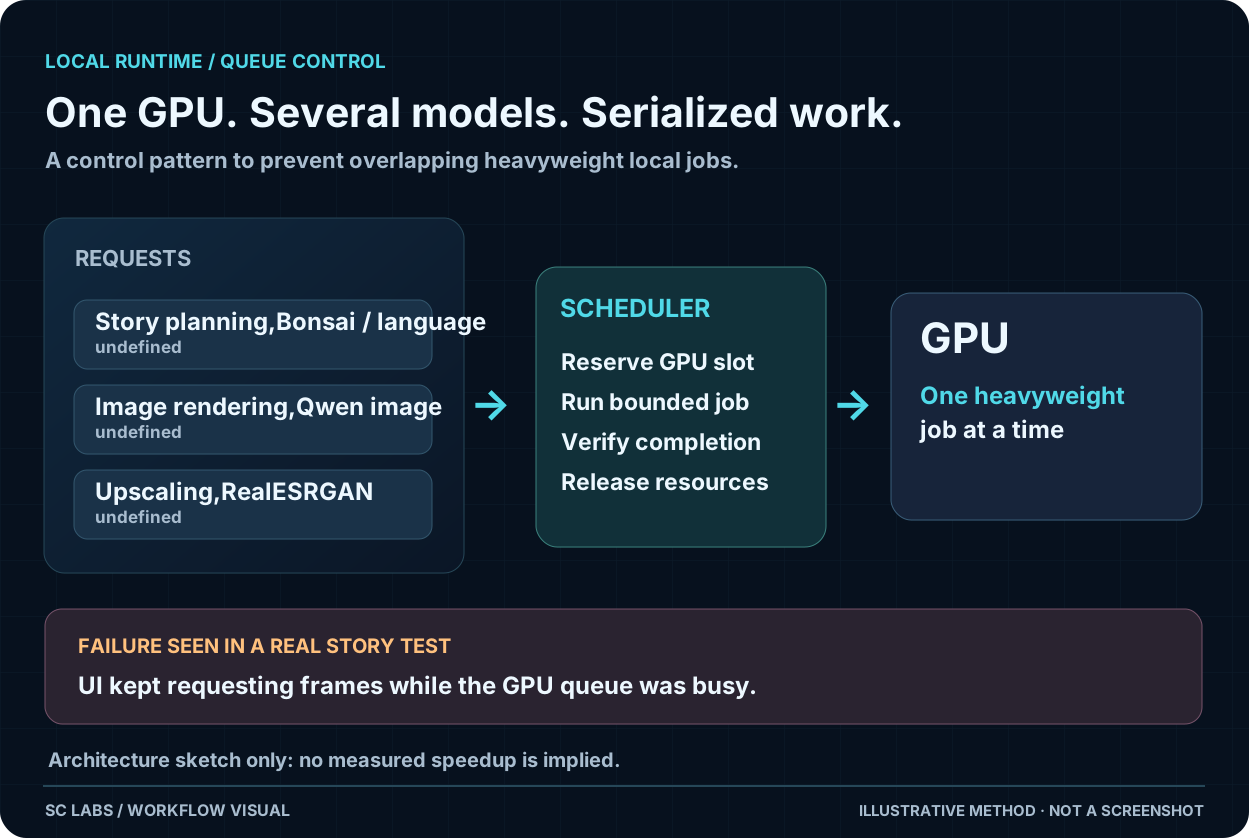
Record project name, model, backend, expected output location and whether it is safe to interrupt. For longer operations also record an end condition and where to read progress.
Without this tiny amount of bookkeeping, later cleanup becomes guesswork. A generic instruction to 'free the GPU' can interrupt somebody else's render or a recovery process.
Start with the older-GPU hardware and model-fit guidance before allocating all memory to one candidate.
Video adds a particular scheduling cost, covered in our local video workflow guide.
Reserve headroom on purpose
Don't schedule two jobs just because their published model sizes sum to less than VRAM capacity. Working buffers, cache, Windows graphics usage and runtime overhead count too.
If image generation needs the card for a few hours, queue the language-model tests. If the language model is needed interactively, unload the unused renderer in a verified, project-specific way. Not every local AI task has to share the device at the same time.
Check the memory after cleanup
Stop only the known workload. Confirm it has exited, observe the new VRAM allocation and make sure the user's desktop still functions. If memory remains allocated, identify the remaining owner before trying another stop.
This independent read-back matters. A successful stop command doesn't prove that the card is ready.
Keep the interface simple
A useful local AI dashboard needs a small set of facts: model loaded, job running, GPU memory used, queue position and safe stop controls. It does not need a new orchestration platform just to report those facts.
For the underlying memory trade-offs, read How Much VRAM Do You Need for Local AI? and Context Length Explained.
A useful result is knowing which project uses the GPU and whether the next job can start predictably.